
Emergency OS
Sometimes the Windows on Your PC/Laptop Crashes
And you just want to turn on your PC/Laptop
Here comes the Need for an Emergency OS, a Windows that Runs from USB Flash Drive
a Mini Windows that doesn't require any Installation, That can Always Help you at Emergencies
One ISO Contains 3 Systems
Windows 11 , Windows 10 & Windows 10 Lite
Each System Looks Almost Exactly As Microsoft Windows 10 & 11
Consider it as a Mini Backup Microsoft Windows for Emergencies
Main Features
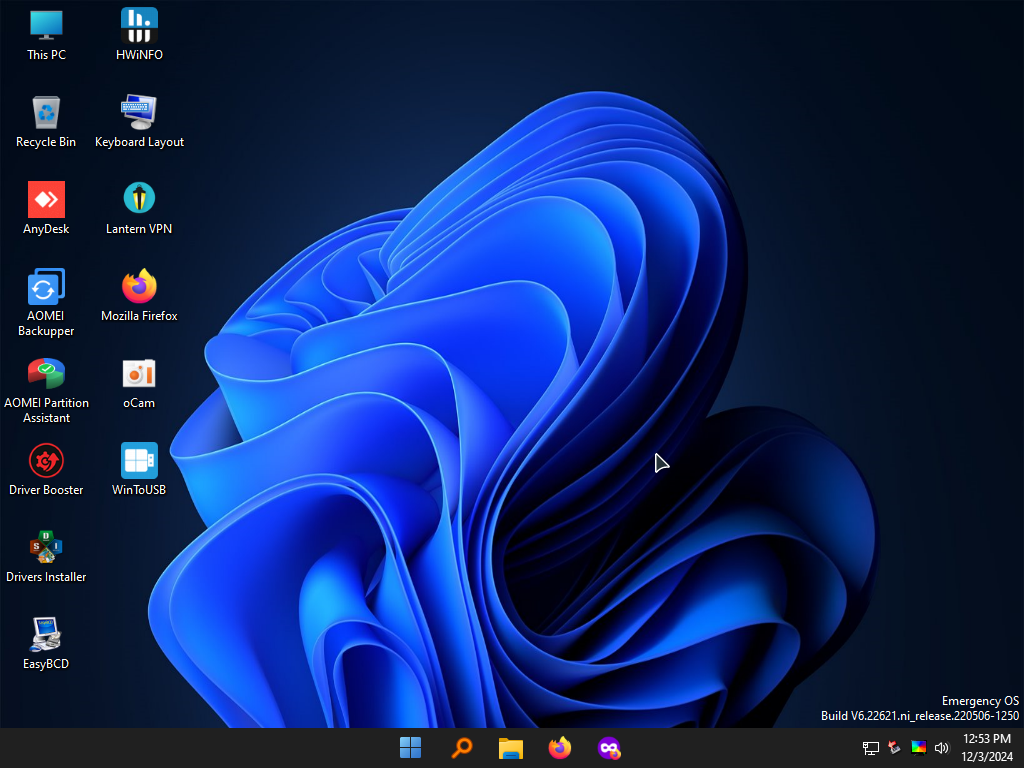
- Very Similar to a Normal Microsoft Windows 11
- if you use Internet Ethernet cable , after you boot you will find the internet already working
- Click on the Network Icon in System Tray to get Available Wi-Fi Connections
- Change Keyboard layout from the Keyboard layout icon on desktop , to write in different languages
- All programs are in the Start Menu
- NVDA Screen Reader Starts automatically if it's installed on your PC, and Shortcut on Desktop
- Shortcut Keys :
- You can Install Your Programs or Run Portable Programs Because it Contains the Most System Files
- You can Integrate Drivers to it
- Supports NVDA and Narrator (Screen Readers)
- Requirements:
Ctrl + Alt + F : will set max Resolution , Ctrl + Alt + A will set Low Resolution
Ctrl + Alt + Z : to start NVDA Screen Reader , Windows Key + Ctrl + Enter to Start Narrator
Alt + Shift + S : Snipping Tool to take screenshots
4GB ram at least
x64 (64bit) PC or Laptop
Main Features
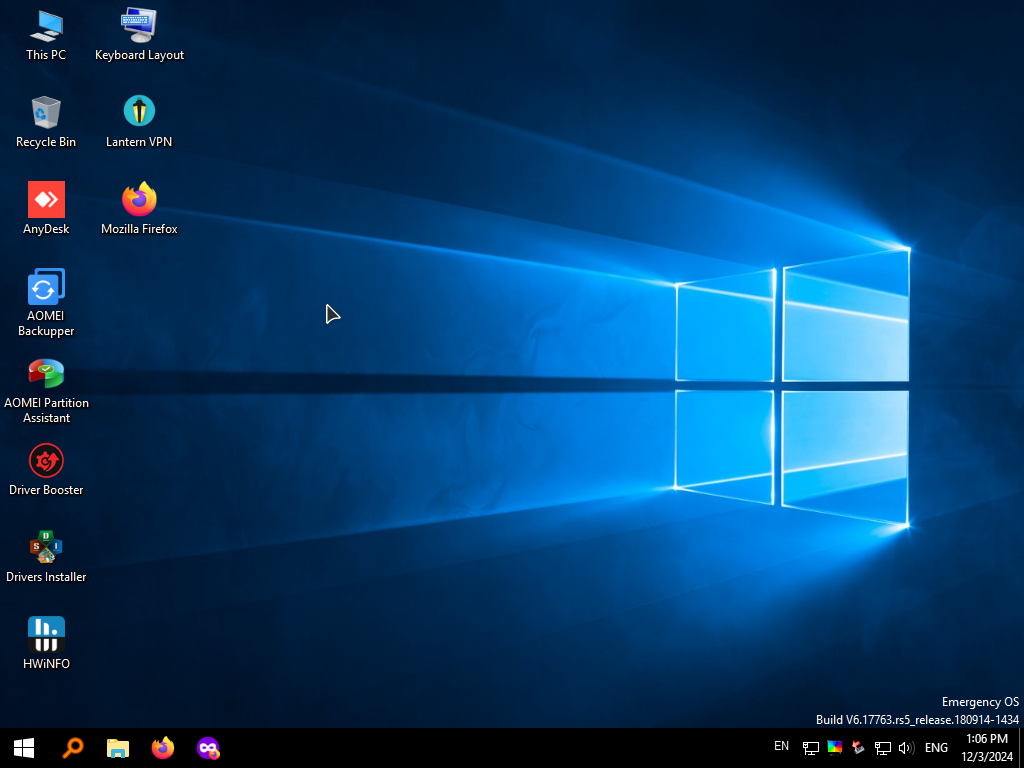
- Very Similar to a Normal Microsoft Windows 10
- if you use Internet Ethernet cable , after you boot you will find the internet already working
- Click on the Network Icon in System Tray to get Available Wi-Fi Connections
- Change Keyboard layout from the Keyboard layout icon on desktop , to write in different languages
- All programs are in the Start Menu
- NVDA Screen Reader Starts automatically if it's installed on your PC, and Shortcut on Desktop
- Shortcut Keys :
- You can Install Your Programs or Run Portable Programs Because it Contains the Most System Files
- You can Integrate Drivers to it
- Supports NVDA and Narrator (Screen Readers)
- Requirements:
Ctrl + Alt + F : will set max Resolution , Ctrl + Alt + A will set Low Resolution
Ctrl + Alt + Z : to start NVDA Screen Reader , Windows Key + Ctrl + Enter to Start Narrator
Alt + Shift + S : Snipping Tool to take screenshots
3GB ram at least
x64 (64bit) PC or Laptop
Main Features
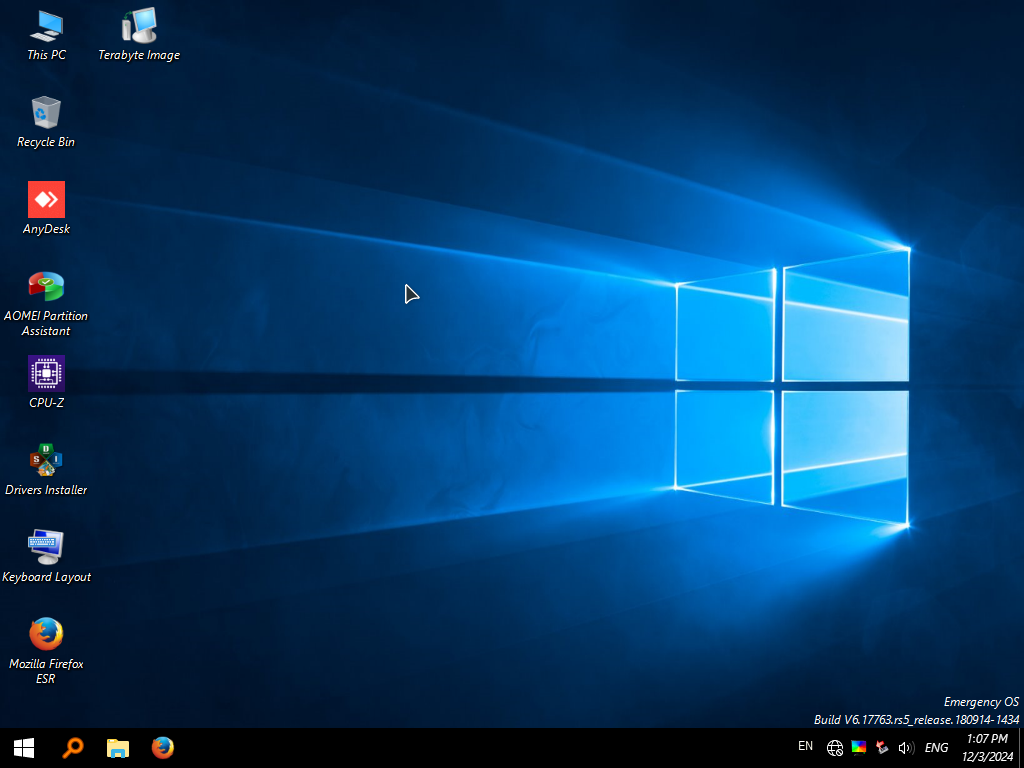
- Change Keyboard layout from the Keyboard layout icon on desktop , to write in different languages
- All programs are in the Start Menu
- Shortcut Keys :
- Please Note:
- Requirements:
Ctrl + Alt + F : will set max Resolution , Ctrl + Alt + A will set Low Resolution
Sound Doesn't Work
Network Doesn't Work
2GB ram at least
x64 (64bit) PC or Laptop
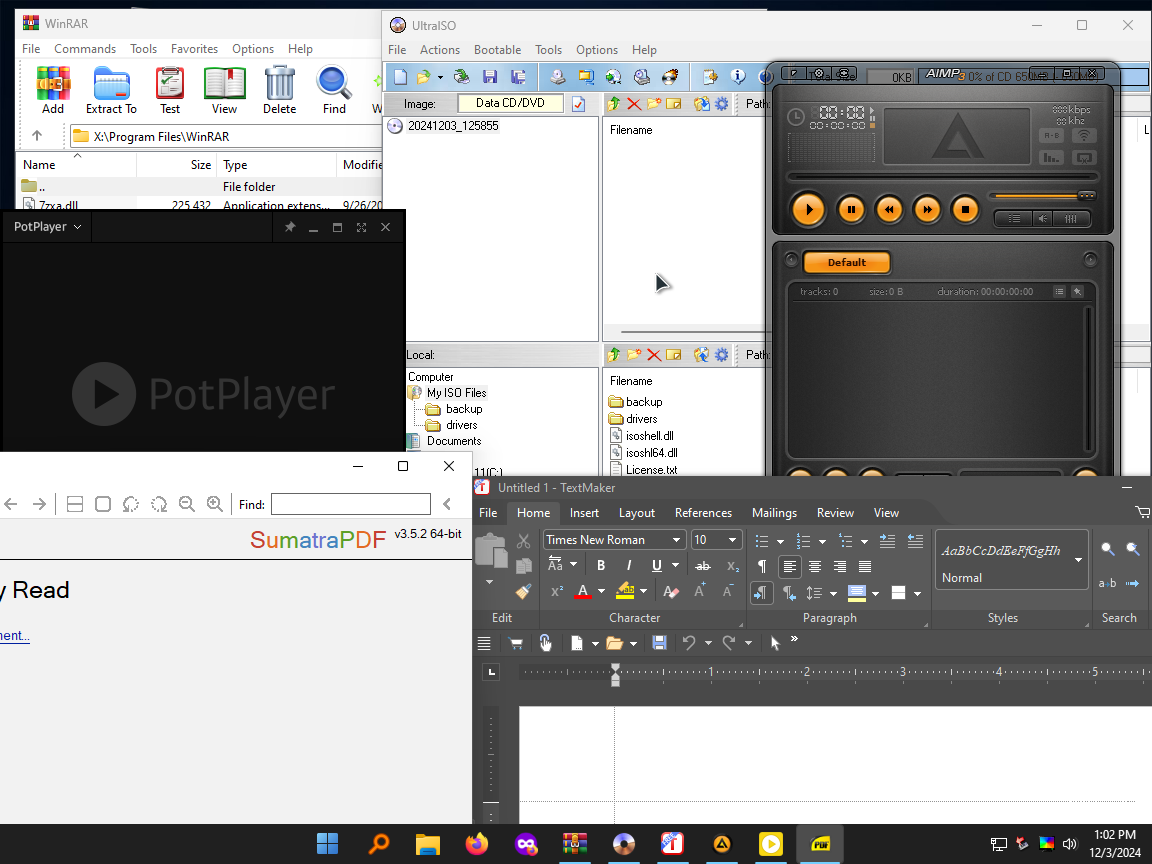
Programs That Opens It's File Extensions
- WinRAR : Compressed Files
- UltraISO : ISO Files
- Firefox : Websites Links
- Pot Player : Video Files
- AIMP : Audio Files
- Sumatra PDF : PDF Files
- Windows Photo Viewer : Images/Photos
- Minitool Partition Wizard
- Pico Torrent : Torrent Files
- FreeOffice Presentations : Presentations
- FreeOffice TextMaker : Documents
- FreeOffice PlanMaker : WorkSheets
- xCHM : CHM Files
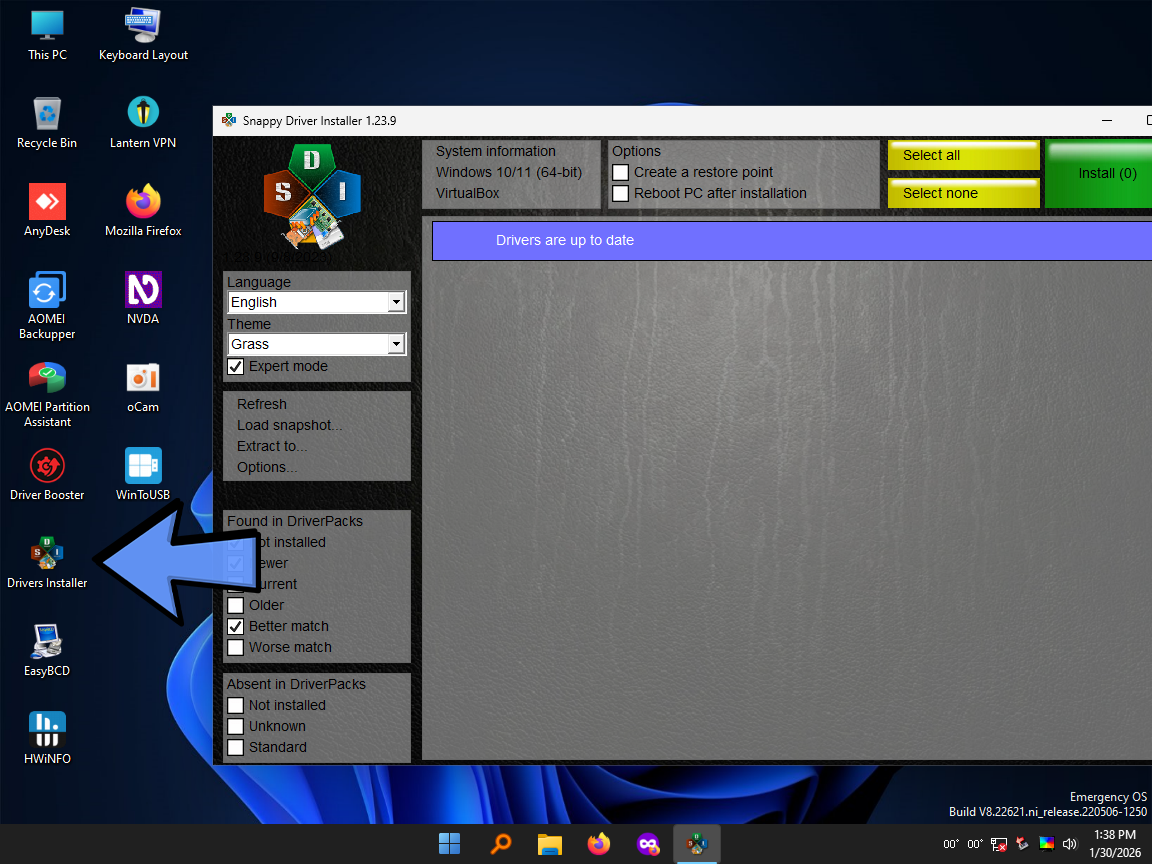
Driver Installer
the Emergency OS allows you to install additional drivers on the fly to support specific hardware needs.
Simply run the Driver Installer tool found on the desktop to scan for missing hardware support.
Main Features
- Burn On USB Flash Drive Using Rufus or Ventoy
- NVDA and Windows Screen Narrator Supported and Added, which make it useful for the visually imparied people
- You Can Surf the Internet and Open any Files Extensions
- To Install .Net Framework 4.8 , you will find it in the Start Menu in System Tools
- Most Files Extensions have Programs to Open Them
- There is 2 VPN programs , Lantern and Psiphon3 in the Start Menu
- You can Record Videos using oCam or Debut Video Capture
- If you find the network not working use the Drivers Installer that is on Desktop
- if your Disk is not Showing use the Drivers Installer that is on Desktop
- SoftMaker FreeOffice is provided as a replacement for Microsoft Office
- Windows Login Unlocker is Provided Just in case you forgot your Windows Password
- You can Unplug your USB Flash Driver after booting up and reaching Desktop
- Drivers Installer and .Net 4.8 installer requeries the USB Flash Drive to be Pluged
- on Desktop Right Click Context Menu , you will Find Brightness Option
- You Can Use the Emergency OS anyway you like , there isn't a specific Purpose for it
If you Find Our Modified ISO Helpful, You can Support the Project by Donating
Don't Forget that you can Request Your Own Custom Modified OS
Also Don't Forget that you can Request Your Own Custom Website Design
Download Links:
Recommended: 1fichier - KrakenFiles - send.now
Contain Ads: Megaup - vikingfile - mixdrop.ag - ranoz - fireload
These Links have Ads, Please Use an Ad blocker like "uBlock Origin"
Release Date : 5/20/2025
Version: 8
ISO size: 3.56GB
SHA1: 097c114d3536d9ecbda6a8310618a9cae7ea80aa
-
◆
10/3/2025:
Drivers Updated
Most of the Programs Updated
Add Programs:-
NVDA Screen Reader (shortcut key Alt + Ctrl + Z) Notepad++ Wnet Watcher
Version History
- ◆ Kyhi/ChrisR : Win10XPE is used to Create the Mini and Full Boots
- ◆ Wimbuilder2 is used to create the Tiny Boot
- ◆ Sergei Strelec : i took some Programs , Registries , Drivers , ideas from his WinPE
- ◆ CryptoNick : 7z SFX Constructor has been used to compress each program into 1 EXE file
- ◆ Mostafa Hector : Rounded Edges corners Registry in Windows 11
-
Resolution Stuck on 800x600
on some Machines you boot up and find the resolution stuck on 800x600 The Issue has been reported by 1 user , seems it happens on very few machines Cause : it happens when you boot the ISO directly , which happens with Ventoy and not Rufus
Fix : Use Rufus instead of Ventoy when you find this problem
--------------------------------------------------------
When you Use Ventoy
Desktop Wallpaper doesn't load and you get a black wallpaper on Desktop , cause of the issue is unknown so far everything will be fully function , without any issues
--------------------------------------------------------
Sometimes Windows 11 Crashes (BSOD)
when it's booted on PC connected with HDMI cable to the monitor the issue is not confirmed to always happen , but it might occur with you
Fix : Use Windows 10
--------------------------------------------------------
HDDTune
Freezes/Crashes the system sometimes , or it will take about 5 minutes to open i tried different versions , same issue occurs in all versions